1
/
of
1
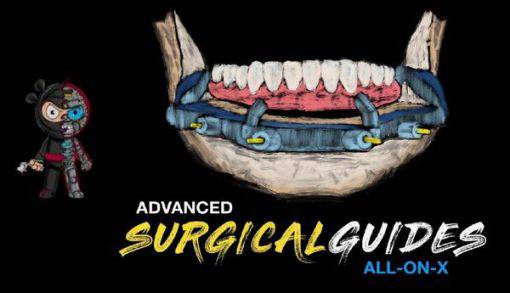
Advanced Surgical Guides – All on X – Implant Ninja
Advanced Surgical Guides – All on X – Implant Ninja
Regular price
$20.00 USD
Regular price
$754.00 USD
Sale price
$20.00 USD
Shipping calculated at checkout.
Advanced Surgical Guides - All on X
Category: Surgery
Instructor(s): Nate Farley
Course structure: Lessons: 7 modules: 43 lectures | Duration: 4 h 50 min
Course overview
Been wanting to level up your guides tool belt for the All on X procedure?
HERE'S THE PROBLEM
- You feel uncomfortable with using the hardware and software into building guides
- You feel like you need to take a ton of CE courses just to get started
- There's no one-stop shop to learning how to manage these cases
HERE'S YOUR SECRET WEAPON
- Step by Step Explanations of Each Procedure
- Easy to Refer Back to Walkthroughs
- Access to Content Forever
INSIDE ADVANCED SURGICAL GUIDES
- Get your guides ready for print
- Create your Guide
- Designing Pin Guides
Curriculum
Module 1: Introduction
- Lesson 1: Implant Ninja introduces Digital Guru
- Lesson 2: Welcome to the Course! Implant Ninja
- Lesson 3: Superfast overview of what you-ll learn. Implant Ninja
Module 2: Getting started
- Lesson 1: Introduction to this section. Implant Ninja
- Lesson 2: Setting Up Meshmixer + program files to download and set up
- Lesson 3: Program files to download and set up (8 files)
Module 3: Designing guides, part 1
- Lesson 1: Into to Section.
- Lesson2: Lecture. Aligning files
- Lesson 3: Walkthrough. Adding STL files into Blue Sky Plan
- Lesson 4: Lecture. Bone segmentation
- Lesson 5: Walkthrough. Bone Segmentation
- Lesson 6: Lecture. Designing the tooth setup in Meshmixer
- Lesson 7: Walkthrough. Designing the tooth setup in Meshmixer
- Lesson 8: Lecture. Tips for Implant Placement
- Lesson 9: Walkthrough. Tips for Implant Placement
Module 4: Designing guides, part 2
- Lesson 1: Lecture. Initial bone reduction
- Lesson 2: Walkthrough. Initial bone reduction
- Lesson 3: Lecture. Making the surgical guide
- Lesson 4: Walkthrough. Making the surgical guide
- Lesson 5: Lecture. Sectioning the guide
- Lesson 6: Walkthrough. Sectioning the guide
- Lesson 7: Lecture. Fixing some holes
- Lesson 8: Walkthrough. Fixing some holes
- Lesson 9: Lecture. Creating the hybrid base
- Lesson 10: Walkthrough. Creating the hybrid base
Module 5: Designing guides, part 3
- Lesson 1: Lecture. Adding supports to the hybrid
- Lesson 2: Walkthrough. Adding supports to the hybrid
- Lesson 3: Lecture. Making the holes for the cylinders
- Lesson 4: Walkthrough. Making the holes for the cylinders Lesson 5: Lecture. Creating the pin guide
- Lesson 6: Walkthrough. Creating the pin guide
- Lesson 7: Lecture. Adding pins
- Lesson 8: Walkthrough. Adding pins
Module 6: 3D printers
- Lesson 1: Intro to Section
- Lesson 2: Form 2 Review
- Lesson 3: Asiga Review
- Lesson 4: Ackuretta Review
- Lesson 5: Printing Introduction
- Lesson 6: Asiga Setup
- Lesson 7: Form 2 Setup
- Lesson 8: Printers and Printing
- Lesson 9: Cleaning Up
Module 7: You are done
- Lesson 1: About Nate!
Quantity
Couldn't load pickup availability